Report cards for CBSE, ICSE and state-board schools
Indian boards set their own marks splits and grade bands and revise them from time to time, so check your board's latest circular before you configure anything.
CBSE classes 9 and 10: 80 plus 20
For most subjects, CBSE divides 100 marks into 80 marks for the written year-end exam (the board exam in Class 10) and 20 marks of internal assessment run by the school: periodic tests plus work such as notebook submission and subject enrichment activities. Co-scholastic areas such as art education and health and physical education are graded separately.
The nine-point grading scale, A1 to E2
The nine-point scale from CBSE's CCE years is still the reference behind the CGPA × 9.5 conversion in our CGPA to percentage calculator. The uniform report card scheme CBSE introduced in 2017–18 switched to an eight-point version, with a single E band for 32 marks and below.
NEP 2020 and the Holistic Progress Card
The National Education Policy 2020 asks schools to move from marks-only report cards to a Holistic Progress Card (HPC): a 360-degree, multidimensional record of a child's progress that adds self-assessment, peer assessment and parents' input to the teacher's view. PARAKH, the national assessment centre set up under NCERT, has published HPC templates for the earlier school stages, and report cards are moving toward this competency-based model.
ICSE and state boards
CISCE (the ICSE board) and the state boards publish their own exam and internal-assessment splits, pass marks and bands. Premeena hard-codes none of them: the grade scale and grading scheme take whatever your board uses.
What Premeena supports today
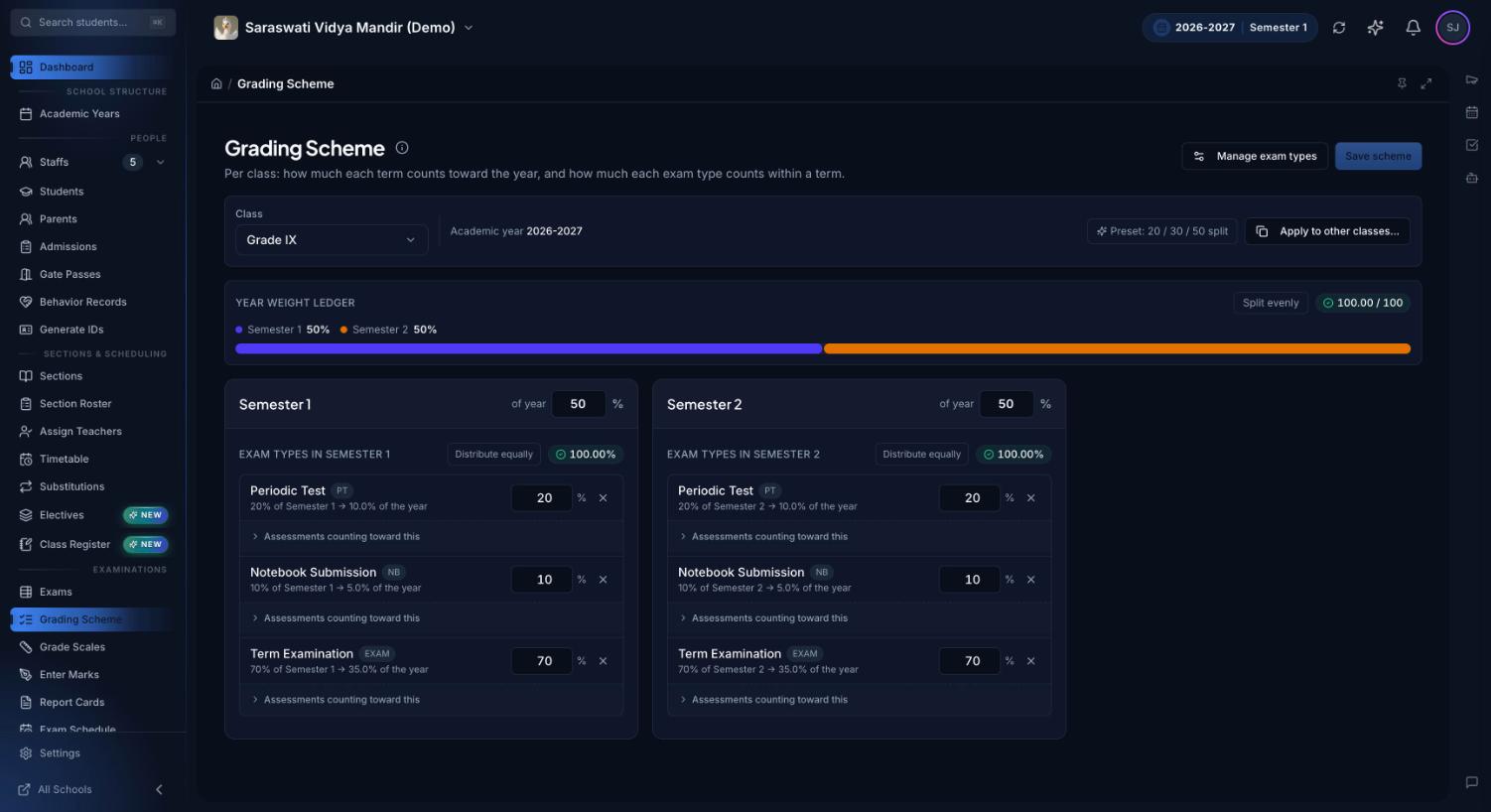
You can enter the CBSE bands (A1 to E, or A1 to E2) as a grade scale with grade points, and apply the built-in India — CBSE internal and board convention to a class. It splits each term into periodic tests (10%, best three count), other internal assessment such as notebook work (10%) and the written exam (80%); change any share to match your school. Premeena prints one clean report card layout with your logo and colours. It doesn't ship board-prescribed templates or an HPC template yet.