
Your whole school, in perfect order
Premeena brings admissions, attendance, fees, exams and report cards into one beautifully simple workspace. Teachers take the register in seconds from their phone. Your accountant sees every outstanding fee at a glance. Report cards build themselves from marks already entered, so no one loses another weekend to copying numbers.
NewAndroid app
Your schools, in your pocket.
The Premeena owner app is now on Google Play. Keep an eye on every school you run from your phone: check today’s attendance, clear approvals and reply to staff without opening a laptop.
- Live attendance for students and staff, school by school
- Approvals, messages and tasks wherever you are
- Every school you own under one sign-in
Scan to install
See it in motion
Two minutes. One complete school day.
Attendance, fees and report cards in a single, unbroken flow. It begins muted — tap the speaker to hear the walkthrough.
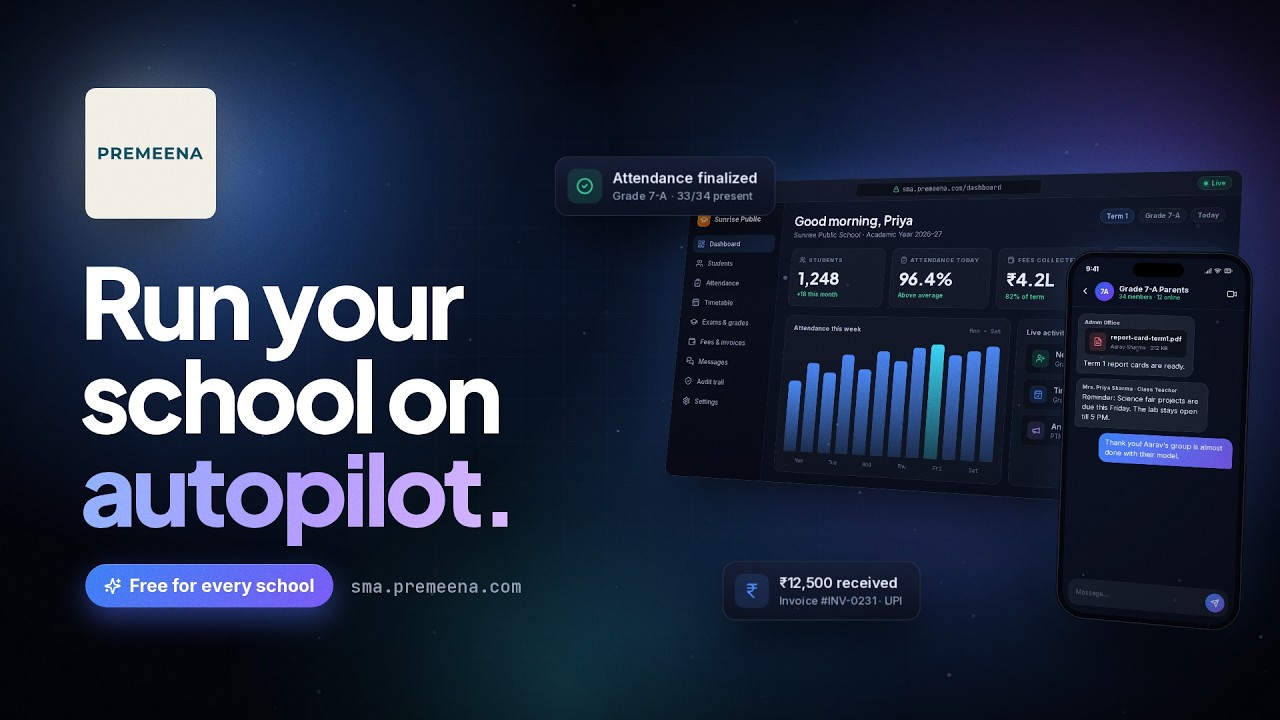
The product
Every part of the day, handled beautifully
The five workflows schools rely on most, shown exactly as they appear in Premeena. Select a tab to explore attendance, timetables, fees, report cards or messaging.
Everything included
One platform. Every corner of your school.
Every module below is included in the core plan. Most schools begin with students, attendance and fees, then switch on the rest as they grow.
Student Management
One profile per student with guardians, documents, attendance history and marks. Bring your existing list in from a spreadsheet instead of retyping it.
Daily Attendance
Mark the register by class, lock it when it's done, and reopen it if someone turns up late. Each student's history stays in one place.
Timetable Builder
Set periods and working days, place subjects on a grid, and print a PDF for each class.
Classes & Sections
Split a grade into sections, give each one a class teacher, and move students between them without losing their records.
Subjects & Curriculum
Decide which subjects each grade takes and who teaches them. Timetables and report cards read from this, so you only set it once.
Fee & Invoice Management
Write the fee structure once, invoice a whole class in one go, split fees into installments, and record each payment against the right student.
Assessments & Report Cards
Set up exams, let teachers enter marks for a whole class, and print report cards on your own grading scale.
Teacher & Staff
Every teacher gets a login and sees their own classes and subjects. Departments and subject assignments are kept here too.
Announcements
Post a notice to the whole school, one grade or just the staff. Attach a photo of the printed circular if you have one.
Financial Reports
See what came in today, what's overdue and by how long, and how parents are choosing to pay.
Document Management
List the documents each student or staff member must hand in, upload and verify them, and see at a glance whose file is incomplete.
Dashboard & Analytics
Each role opens to its own dashboard. The principal sees attendance and collections, a teacher sees their classes, and a new school gets a setup checklist.
Onboarding
From spreadsheet to live, in a single afternoon
No consultants, no training days, no six-month rollout. If your student list already lives in a spreadsheet, the hard part is done.
Request your workspace
Sign up with your email; no card required. Our team personally reviews every new school before setup begins.
Shape your school
A guided checklist walks you through the academic year, grades, sections and subjects, then brings your staff on board.
Import and go live
Upload your student list as a CSV. From that moment, teachers take attendance and the office sends fee invoices.
Security
Your school's data, guarded at every layer
A school system holds children's names, addresses and medical notes. We treat that trust with the seriousness it deserves. Here is exactly how.
Role-Based Access Control
Owners, managers, teachers and staff each get their own permissions, and you can adjust them per school. A teacher won't see the fee ledger unless you allow it.
Audit Trail
Every create, update and delete is recorded with who did it and when. If a mark changes after results go out, you can see who changed it.
Encryption
Everything travels over HTTPS. Passwords are stored only as salted hashes, so they can't be read back, even by us.
Data Privacy
Each school's records are kept separate from every other school's. We don't sell your data or share it with advertisers. If you prefer, uploaded files can live in your own S3-compatible storage bucket.
Pricing
Premium software. Free where it counts.
Everything that runs a school day is included in the core plan, at no cost. No card, no trial clock, no per-student fees.
- Student & teacher management
- Attendance tracking
- Grading & report cards
- Timetable management
- Fee & invoice management
- Document management
- Announcements
- Student promotions
- Role-based permissions
- Audit logging
- CSV bulk imports
- PDF exports
- Multi-school support
- Dashboard & analytics
Running a larger institution?
Custom modules, higher limits or a guided migration of your existing records. Tell us what your institution needs and we'll scope it with you.
Talk to our teamCommon questions
Frequently asked questions
Yes. Student and staff records, attendance, marks and report cards, timetables, fees, documents and announcements are all free to use. You don't enter a card, and there is no trial period that runs out.
What is free today stays free. We may add optional paid extras later, mostly for larger schools, but nothing you already use will be moved behind a paywall.
Data travels over HTTPS, passwords are stored only as salted hashes, and every change goes into an audit log. Each school's records are kept apart from every other school's, and you decide what each role is allowed to see.
Plan on an afternoon. A setup checklist takes you through your school details, academic year, grades and classes, and staff invites. Students and teachers can be imported from a CSV file, so nobody has to type them in one by one.
Yes. Teachers get their own login with their classes, attendance and marks. Parents and students have separate portals linked to the student's profile. Everyone sees only what their role allows.
Yes. One owner account can run several schools, and each one keeps its own staff, students and settings.
Write to us and describe what your school needs. For custom work or higher limits, we'll tell you plainly what's possible and what it would involve.
Use Report a Bug inside the app. You can follow the issue there and reply to us on the same thread. You can also email support@premeena.com.
See your school running on Premeena
Step inside a fully populated demo school, with students, classes, attendance and fees already in place. Explore freely, no signup required. When you're ready, your own school is minutes away.