Parents open one page on their phone and see their child's day: the timetable, today's attendance, pending homework, the latest result and any fees due. Students get a portal of their own for homework, grades, exams and class files.
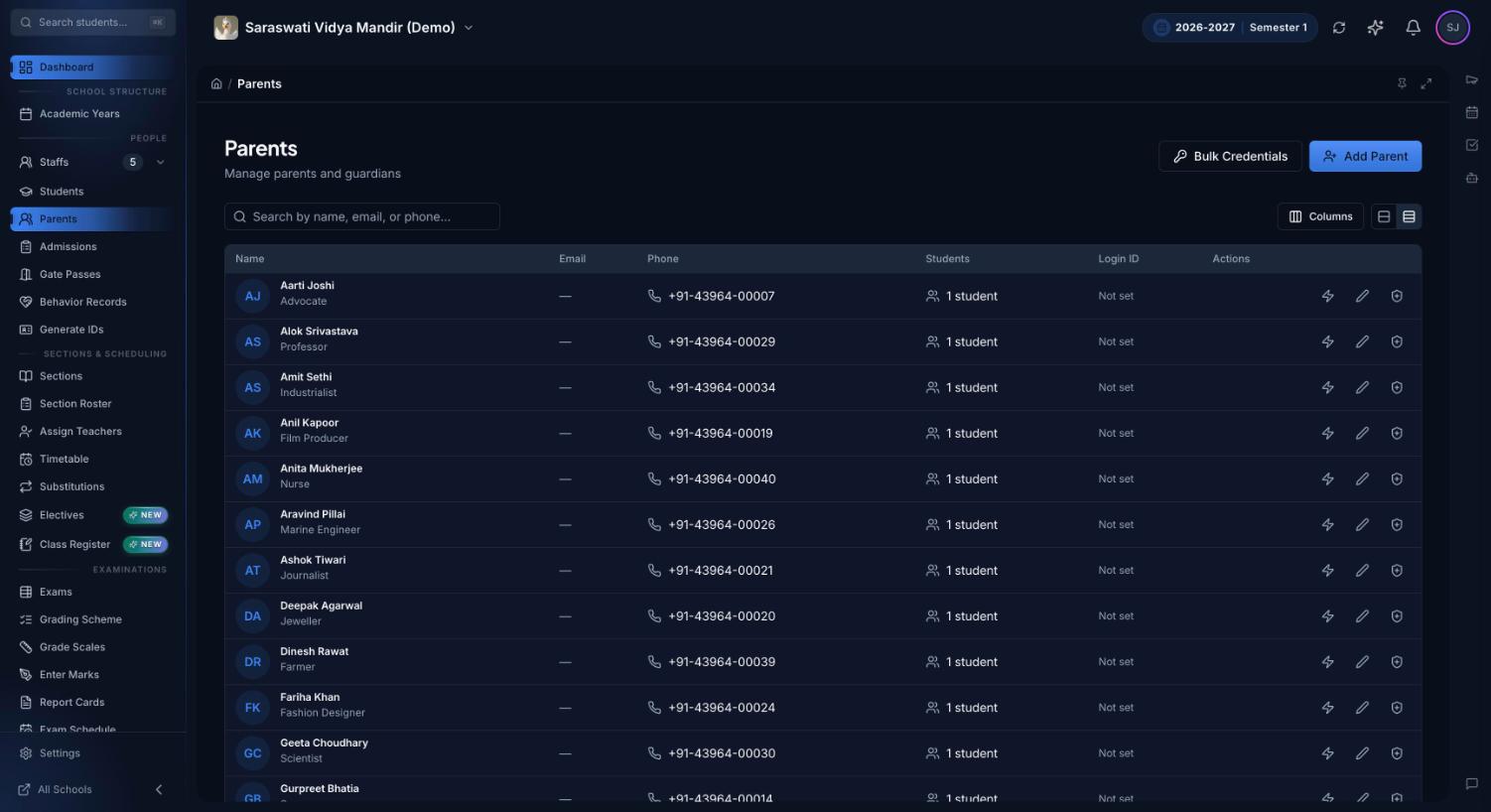
The school's side of the parent portal: every parent with their linked children and portal login ID. Bulk Credentials creates logins for many parents at once.
What is a parent portal?
A parent portal for schools is a secure website or app where parents sign in to see their own child's school record: attendance, timetable, homework, exam results, fees and notices from the school. Each parent sees only the children linked to their account, and everything on it comes from what teachers and the office already enter.
Most schools keep families informed with diary notes, phone calls and class WhatsApp groups. That works until a parent misses the message about tomorrow's holiday, the office spends a morning answering "how much fee is due?", a teacher's personal number ends up on forty phones, and nobody can find last term's receipt. A portal gives every parent the same, current answer without anyone having to send it.
What parents see in the parent portal
After signing in, a parent lands on a dashboard for their child. Each card below is part of that page or one tap away from it.
Today at school
Today's periods in order, with subject, teacher and time, and the current period highlighted. If a lesson has a substitute or has been cancelled, the card says so. The class teacher's name sits at the top, so parents know whom to contact.
Attendance at a glance
The term's attendance percentage, today's status (or "not marked yet"), and how many days the child has been absent or late, with a strip of recent school days. When a teacher finalises a register with the child absent, parents get an email, a push notification and an in-app alert.
Homework and exams
Each piece of homework with its status: pending, overdue, submitted or graded. The next exam appears on the same card, with the subject it starts with. The card is read-only, so a parent can remind their child without logging in as them.
Latest result
Once the school publishes an exam, parents see the overall percentage, a bar for each subject and where the child stands in the section. Parents and students are notified by email, push and in-app when grades or exam results are published, and not before.
Fees and receipts
The amount outstanding and the next due date, or how many days a payment is overdue. The fees page lists every invoice and payment, and parents can download receipts for payments the office has recorded. New invoices and reminders arrive by email, push and in-app.
From school
Circulars and announcements, plus holidays, exams and events from the school calendar for the next 30 days, in one card. Announcements also arrive as push and in-app notifications, so a parent who hasn't opened the portal for a week still hears about tomorrow's closure.
Messages to staff
Parents can message the class teacher or any staff member. Parent-to-parent messages stay off unless the school switches them on, and parents and students can never message each other. A teacher can also send a one-to-one video call link that opens in any browser.
One login, several children
Every child linked to the parent appears under one login, with a switcher at the top of the dashboard. Separate pages show each child's achievement points, behaviour notes the school chooses to share, what is being taught in each subject, and elective choices when the school opens them.
Their phone, their language
Each parent can switch Premeena to English, Hindi, Spanish or French for themselves without changing it for anyone else. The portal runs in any phone browser and can be added to the home screen like an app, with push notifications.
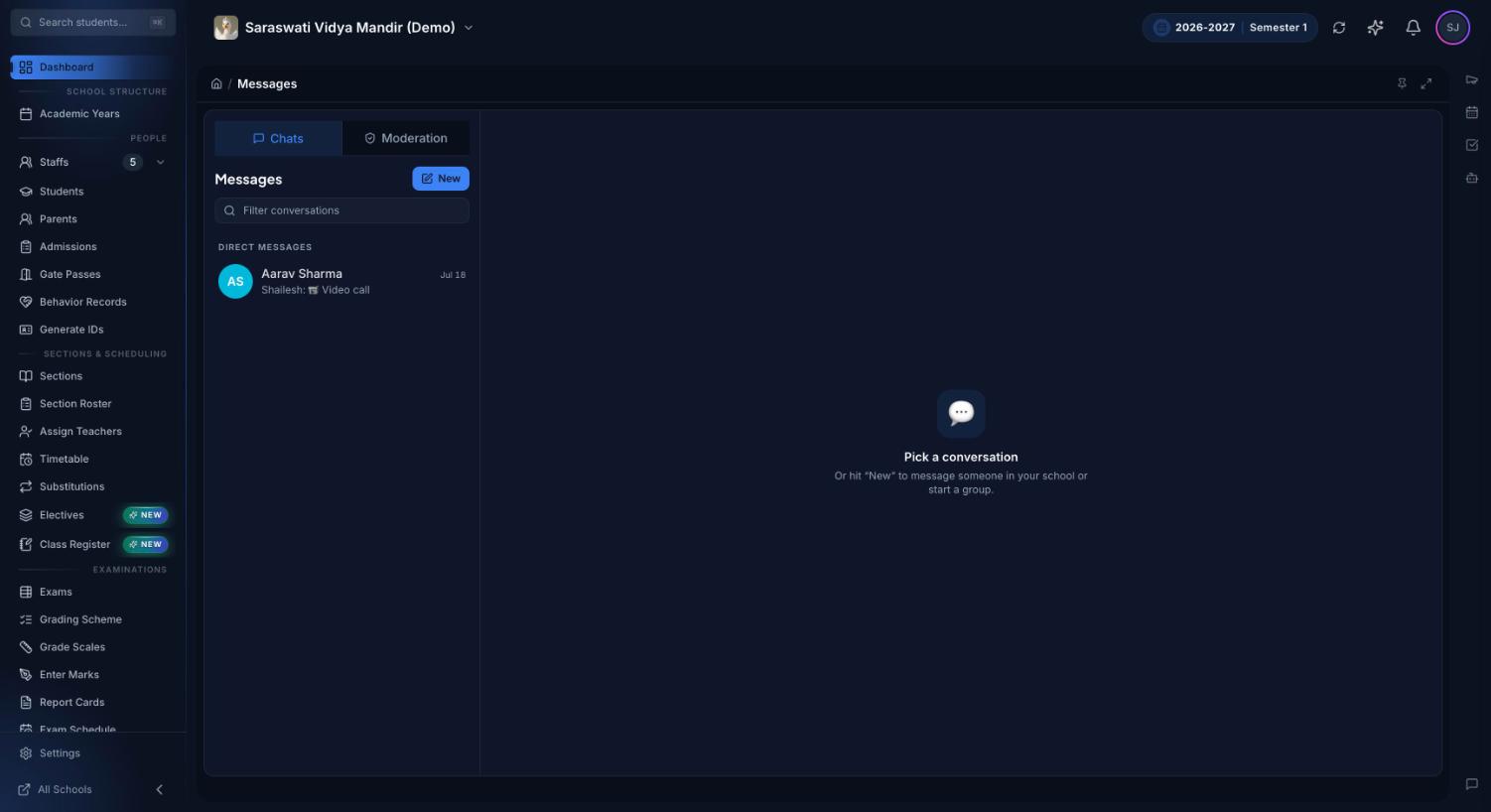
Messages as a school administrator sees it. Parents use the same inbox to reach staff; the Moderation tab is where administrators review conversations that involve students.
The student portal
Students get their own login and a view built around the school day rather than the office:
Timetable: today's lessons and the full week.
Homework: assignments from every subject, handed in from the portal as typed answers and file uploads, then marks and feedback from the teacher. See how homework works in Premeena.
Grades and exams: published marks by assessment, the exam schedule, and admit cards to download as a PDF.
Attendance: attendance rate, counts by status and the last 30 days.
Fees: invoices and receipts.
Class files, library and calendar: notes and worksheets teachers share with the class, the school library and the school calendar.
Electives, achievements and behaviour: choosing electives when the window is open, points earned and notes the school shares.
Students can message staff, and classmates if the school allows it. Teachers have a portal of their own too: a My Day page with today's periods and whether each register has been taken, homework waiting to be graded with a reminder for students who haven't handed in, the lessons they've been asked to cover, and syllabus progress.
How the parent portal works, step by step
Link parents to students. Guardians are added with each student, through admissions or from the Parents page. One parent can be linked to several children.
Create logins. Give each parent and student a login ID and password, one at a time or for a whole list with Bulk Credentials, and share them with families.
Parents sign in on their phone. Any browser works. They can add Premeena to the home screen and allow notifications. On an iPhone, notifications work once Premeena has been added to the home screen.
Staff work as they normally do. Teachers finalise registers, post homework and publish marks; the office raises invoices and records payments. Each of these updates what parents see, with no separate "send to parents" step.
Alerts go out by themselves. Absences, published results, new invoices and behaviour notes the school shares send an email, a push notification and an in-app alert to the linked guardians.
The school sets the rules. The school decides whether parents can message each other and whether students can, and administrators can review any conversation that involves a student. The rules are explained in the messaging guide.
Who uses it
Parents and guardians: check the day's timetable, attendance, homework and fees in a minute, get alerts without asking for them, and message the class teacher from the same app.
Students: hand in homework, look up marks and exam dates, download admit cards and open the files their teachers share.
Class teachers: fewer "was my child in school?" calls, and a way to reach parents that isn't their personal number. When a meeting can't happen in person, a one-to-one video call link works for parents without a Premeena account.
Office and accounts: parents see their balance and download their own receipts, so there are fewer counter visits for duplicates. See fee management for the office side.
Owner or principal: one place for announcements, school-wide rules on who can message whom, and the ability to review any conversation that involves a student.
Diaries, calls and chat groups vs a parent portal
What changes for families and staff when the information is in one place.
What parents need
Diary, phone calls or a class chat group
Premeena parent portal
Knowing about an absence
A call from the office, if someone has time
Email, push and in-app alert when the register is finalised
Fee balance and receipts
A call or a visit to the office
Outstanding amount and due date on the dashboard, receipts to download
Homework
Written in the diary, if the child remembers
Pending, overdue, submitted or graded, piece by piece
Exam results
Announced in class or sent home on paper
Overall and subject-wise percentages as soon as the school publishes them
Circulars and holidays
A paper notice, or a message buried in a busy group
An announcement card and notification, plus the next 30 days of events
Talking to a teacher
The teacher's personal number
Messages inside Premeena, under the school's rules
Built for how families actually use their phones
In India, many parents check school updates on a phone, sometimes one the whole family shares, and many switch between English and Hindi. Premeena doesn't need an app-store download: it opens in Chrome or any other phone browser, and can be installed to the home screen from there. Each parent can choose Hindi for themselves while the school's staff keep working in English. See language settings.
Email alerts need an email address on the parent's account; push and in-app alerts don't. Absence alerts are covered in more detail on the attendance management page, and published marks on the report cards page.
What Premeena doesn't do (yet)
No SMS or WhatsApp alerts. Notifications go by email, web push and in-app. If you rely on SMS today, keep that service for now.
No app in the Play Store or App Store yet. Parents open Premeena in their phone browser and add it to the home screen.
Parents can't pay fees online yet. The portal shows what's due and the receipts. Parents pay the way your school takes payments today, and the office records it. For reminder wording, see fee reminder messages for parents.
Parents can't apply for leave in the app yet. They tell the school as they do now, and the teacher marks the absence as excused.
Report card PDFs aren't in the portal yet. Parents see published exam results; the school shares the printed or PDF report card.
Frequently asked questions
What is a parent portal for schools?
It is a secure website or app where parents sign in to see their child's attendance, timetable, homework, results, fees and school notices, and to message teachers. In Premeena it is part of the free core platform.
Is there a school app for parents?
Premeena works in any phone browser and can be installed to the home screen like an app, with push notifications. It isn't in the Play Store or App Store yet.
Is the parent portal free?
Yes. The parent, student and teacher portals are part of Premeena's free core platform, with no per-student fee.
Can parents pay school fees through the portal?
Not yet. Parents see invoices, due dates and payment history and can download receipts. Payments are made the way your school takes them today, and the office records them in Premeena.
Will parents get SMS or WhatsApp messages?
No. Premeena sends alerts by email, web push and in-app notification. Parents who add Premeena to their home screen and allow notifications get push alerts on their phone.
Can one parent see more than one child?
Yes. Every child linked to the parent appears under one login, and a switcher at the top of the dashboard moves between them.
Can parents message teachers?
Yes, parents can message any staff member. Messaging another parent only works if the school turns it on, and parents can never message students.
How do parents get a login?
The school creates a login ID and password for each parent, one at a time or in bulk with Bulk Credentials, and shares it with the family.
Can a parent see other children's information?
No. Every request checks that the signed-in parent is a registered guardian of that child, and each school's data is kept separate from every other school's.
Does the portal work in Hindi?
Yes. Each parent can choose English, Hindi, Spanish or French for their own account, whatever language the school uses by default.
Set up your school, create parent logins in bulk and share them this week. The parent, student and teacher portals are part of Premeena's free core platform.