Fee Management

School fee management software your accountant and parents can trust

Invoices, collections, outstanding balances, and a clean record for every student — with every change audit-logged and every parent looking at the same numbers you are.

The problem with registers and spreadsheets

Fee collection is where small record-keeping errors turn into real money. A receipt book and a spreadsheet can carry a school surprisingly far — until a parent disputes a payment from March, a class teacher is asked mid-lesson who still owes for the term, or the person who "knows the file" goes on leave. Reconciling what was billed against what was actually collected becomes an end-of-term archaeology project.

School fee management software fixes the structural problem: billing and collection records live in one system, attached to the student, visible to exactly the people who should see them, and never dependent on one person's memory or one fragile file.

Invoices per student

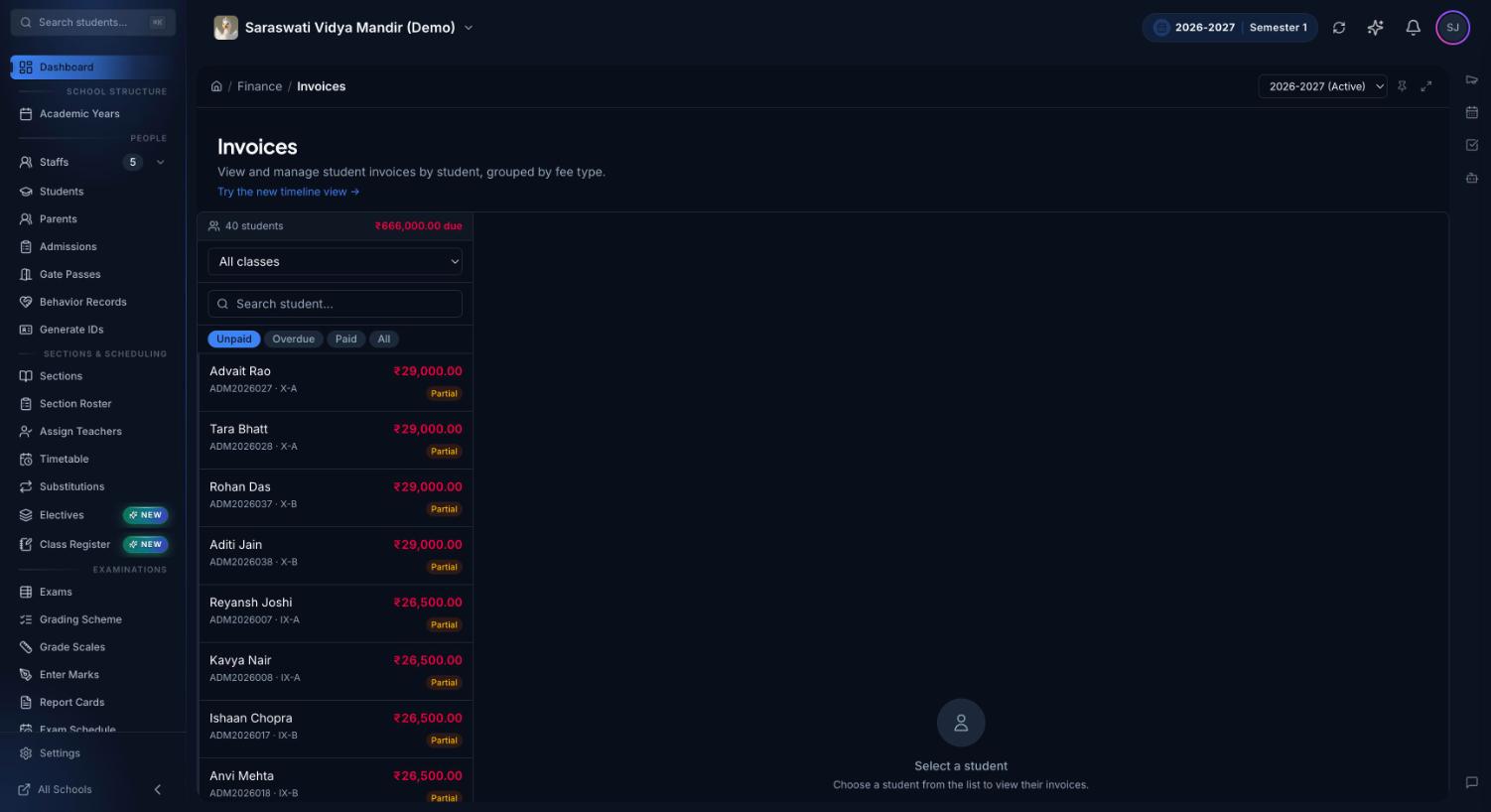
Bill what each student actually owes, with invoices attached to their record for the academic year.

Collections tracking

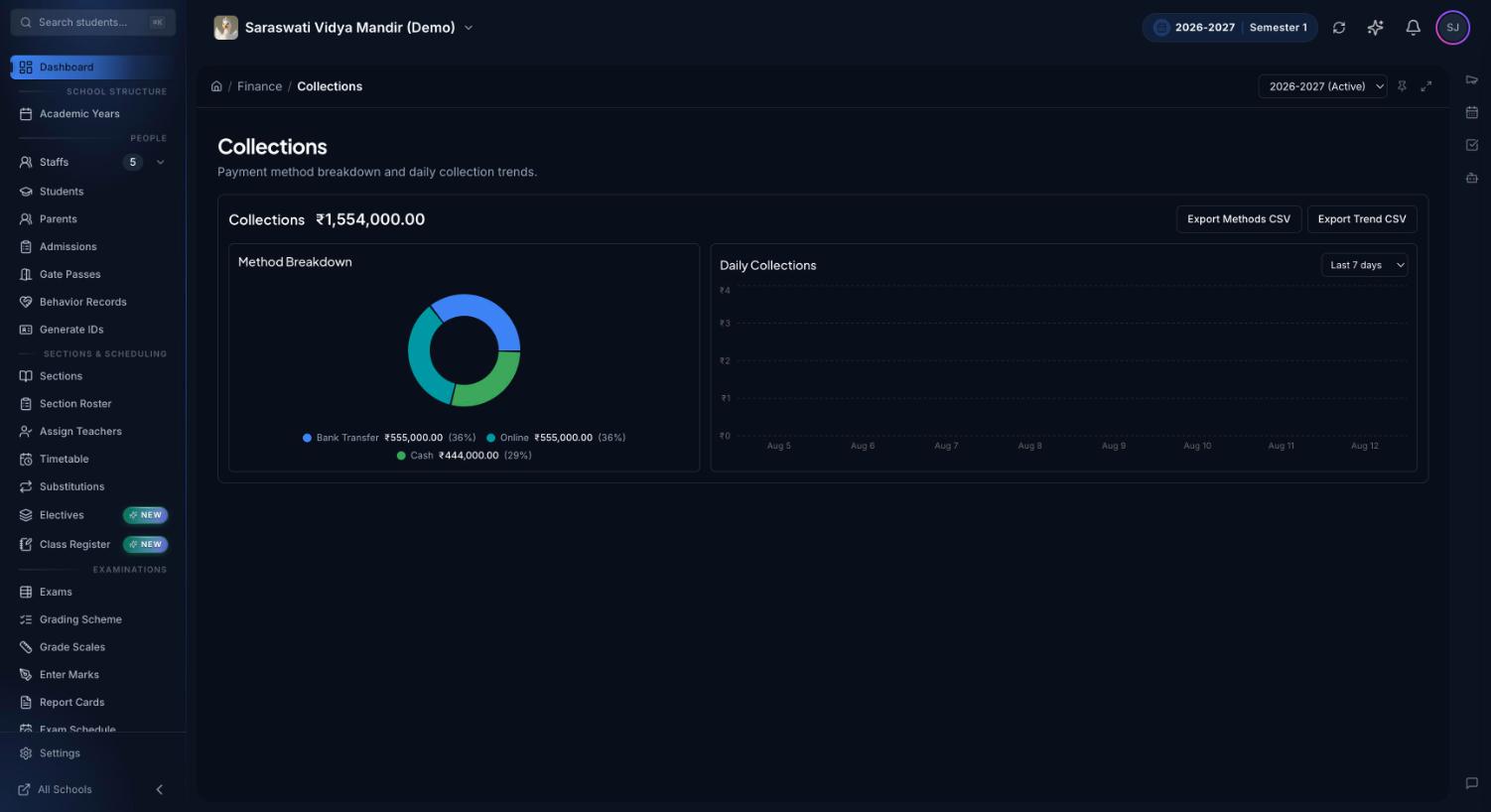
Record collections as they happen and always know what is paid, partial, or outstanding.

Dashboard visibility

Fee status rolls up into the school dashboard, so leadership sees collection health at a glance.

Parent portal

Parents see invoices and payment history for their children — the same record you see.

Role-based access

Only positions you authorize can touch financial records. Everyone else can't — by design.

Audit-logged changes

Every financial edit is recorded with who, what, and when — history you can defend in any dispute.

Set up a clean fee workflow for the year

The schools that stay on top of collections do the structural work once, at the start of the year, instead of improvising every term:

  1. Anchor everything to the academic year. Fees, like sections and assessments, belong to a year. Setting up the academic year first means every invoice lands in the right period automatically.
  2. Bill early and visibly. Raise invoices at the start of the term, while expectations are fresh. Because parents see invoices in their portal, the bill itself does most of the communication.
  3. Record collections the day they happen. A collection recorded a week later is a dispute waiting to be scheduled. Same-day recording keeps the outstanding-balance view honest.
  4. Chase from the data, not from memory. Work through the outstanding list on a fixed weekly rhythm. Configurable notifications help make follow-up routine instead of personal.
  5. Reconcile monthly against the audit trail. The audit trail shows every change to every financial record, which turns reconciliation from detective work into a checklist.

Fee records also don't live alone: they sit on the same student profiles that power admissions and report cards, so a student's financial, academic, and enrollment history stay together from the day they join to the day they graduate.

Honest by default

Premeena doesn't pretend fee management is glamorous. It aims for something better: numbers that are boring because they're correct. No payment-gateway lock-in is required to get value — the core discipline is accurate billing, timely recording, and a record nobody has to argue with. All of it is part of the free core platform.
Frequently asked questions

Is fee management really part of the free platform?

Yes. Fee and invoice management is included in Premeena's free core platform alongside student records, attendance, timetables, and assessments. There is no credit card requirement and no trial clock.

Can parents see their invoices and payment history?

Yes. Parents see their child's fee records through the parent portal, so both the school and the family are looking at the same numbers instead of comparing notebooks.

What happens when a fee record needs to be corrected?

Records can be corrected by authorized staff, and every change is captured in the audit trail with who made it and when. Financial history stays explainable.

Who in the school can manage fees?

Access is controlled by role-based permissions. School owners decide which positions can create invoices, record collections, or view financial reports — and everyone else simply cannot.

Can I manage fees for more than one school?

Yes. Premeena supports multi-school management from a single owner account, with each school's fee data isolated in its own workspace.

Put your fee records somewhere they can't get lost

Set up your school, raise your first invoices, and let parents see the same clean numbers you do.

Free to get started · No credit card required